
Best Automated Knowledge Base from Newsletters Guide 2026
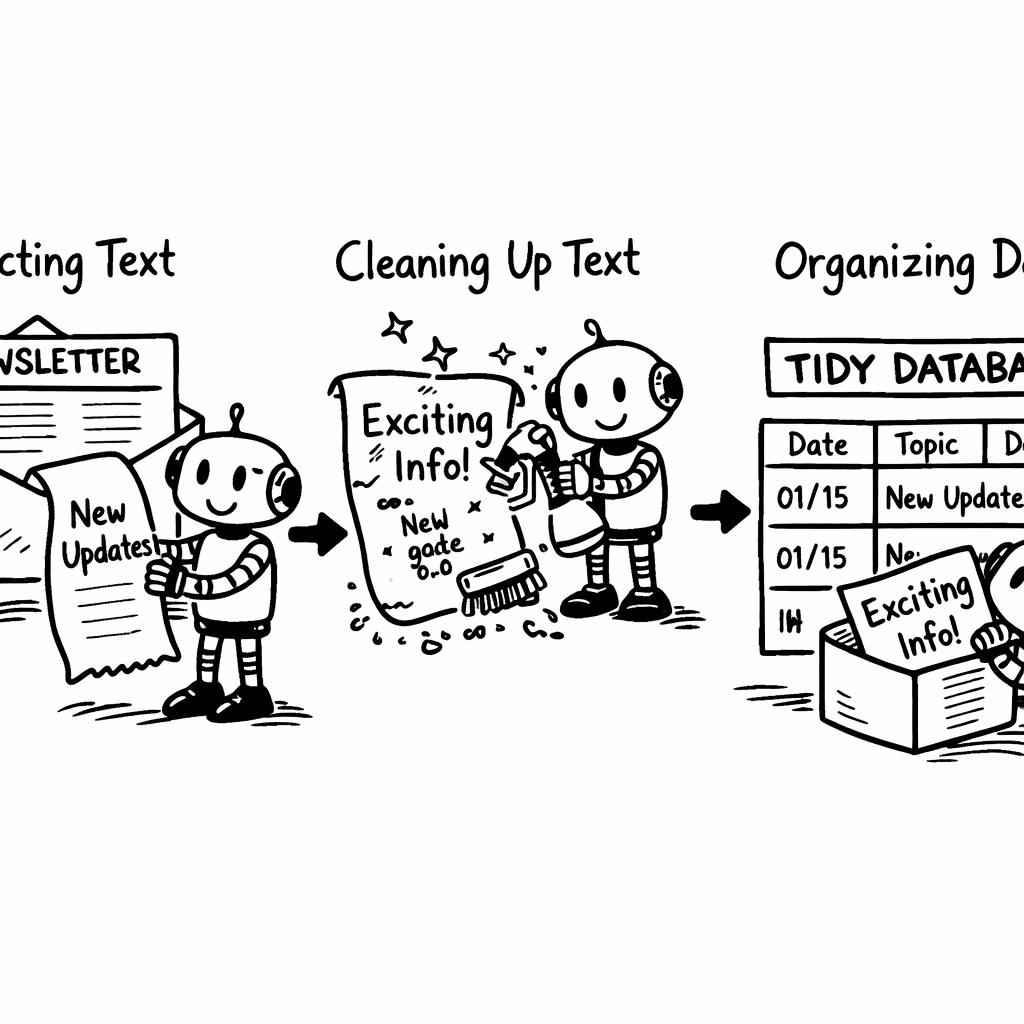
Building an automated knowledge base from newsletters takes three things: capture that does not depend on you forwarding each issue, a step that converts every issue to clean text and summarizes it, and a search index that answers questions instead of returning a list of emails. Most attempts die at the first one, because manual capture never survives a busy week.
Below is what each stage actually requires, and where paying for a hosted tool beats building it yourself.
Only 2 of 5 tools (40%) even tell you what content they can ingest, yet the lone platform that does , Adviserry , handles newsletters, YouTube videos and user docs, dwarfing the email-only scope of its rivals.
Comparison of 3 automated knowledge-base tools, April 2026 | Data from 2 sourcesName| Supported Content Types| Summarization Tech| Automation Features| Best For| Source
---|---|---|---|---|---
Adviserry (Our Pick)| Newsletters, YouTube videos, user documents| -| Automatic content ingestion, AI-powered advisory board creation, contextual Q &A| Best for complete knowledge base| adviserry.com
LangChain| -| OpenAI| summarize articles and generate titles via prompt templates| Best for prompt-template flexibility| youtube.com
Mailgun| email| -| email management, sending and tracking| Best for email-centric workflows| youtube.com
Quick Verdict: Adviserry is the clear winner, offering the broadest content coverage and AI-powered advisory board for $24.99/mo after two free weeks. If you need a developer-friendly, OpenAI-driven summarizer, LangChain is the next best pick. Mailgun falls short for knowledge-base needs, focusing solely on email management.
Table of Contents
- Step 1: Capture newsletters automatically
- Step 2: Extract and clean the content
- Step 3: Store it in a searchable knowledge base
- Step 4: Add an AI-powered query interface
- Step 5: Automate updates and maintenance
- FAQ
- Conclusion
Step 1: Capture newsletters automatically
First, you need the raw emails. The easiest way is to set up a dedicated address and forward every newsletter there. Most email services let you create a rule that catches messages from a sender list and forwards them.
In Adviserry you can point that address to a board. The board then pulls each email as a new entry. No code required.
Why forward instead of using an API? Forwarding works for any provider , Gmail, Outlook, even self-hosted mail. It also respects the sender’s format, so you keep headings, images, and links.
Set up a filter that matches the “From” header of each newsletter you follow. Add the forwarding address as the target. Test with a single issue to make sure the content arrives intact.
When the email lands in the board, Adviserry runs an ingest job. It parses the MIME parts, extracts the HTML body, and stores the raw text.
Here’s a quick sanity check: open the board, look for a new entry, and verify the title matches the email subject. If it doesn’t, adjust the filter rules.
"The best time to start building backlinks was yesterday."
Automation doesn’t stop at capture. You can chain a webhook that notifies a Slack channel each time a new newsletter is added. That way the whole team sees fresh content without opening the board.
Pro tip: name each board after a topic (e.g., "Growth", "Product") so you can segment later.
Key Takeaway: Forwarding newsletters to a single address gives you a reliable, provider-agnostic ingest pipeline.
Knowledge base concepts explain why a central store beats a cluttered inbox.
Google’s guide to email forwarding shows the exact steps for Gmail users.
Bottom line: Capture newsletters via a dedicated forward address and let Adviserry pull them into a board automatically.
Step 2: Extract and clean the content
Now that the raw emails sit in your board, you need clean text. The goal is to strip out signatures, ads, and duplicated footers.
Adviserry offers a built-in AI extractor that runs on every new entry. It looks for common patterns like "Unsubscribe" links and removes them.
If you prefer a DIY route, you can pull the raw HTML via the API and run a script that uses a library like BeautifulSoup.
Here’s a simple Python snippet that removes everything after a line that starts with ", " (a common delimiter):
import re
text = entry['html']
clean = re.split(r'\n, +', text)[0]
After you have the cleaned body, run it through an AI summarizer. Feedly’s AI Overview can look at multiple articles at once to spot trends, while AI Summary works on one piece at a time.
For a single-article summary, feed the cleaned text to the AI Summary endpoint. It returns a concise paragraph you can store as the article’s abstract.
Important: tell the AI what language you want. If you have a bilingual newsletter, add a prompt like "Respond in English" to keep results consistent.
Once you have the abstract, add it as a metadata field in the board. That field will be used later for fast search.
Pro tip: keep the original HTML in a hidden field. If you later need to render the full article, you have it ready.
Key Takeaway: Clean, abstracted text is the foundation of a fast, accurate knowledge base.
Feedly’s AI Overview guide explains how the multi-article engine works.
Feedly’s AI Summary documentation shows how to get one-by-one summaries.
Bottom line: Extract clean text, run it through an AI summarizer, and store the abstract for each newsletter entry.
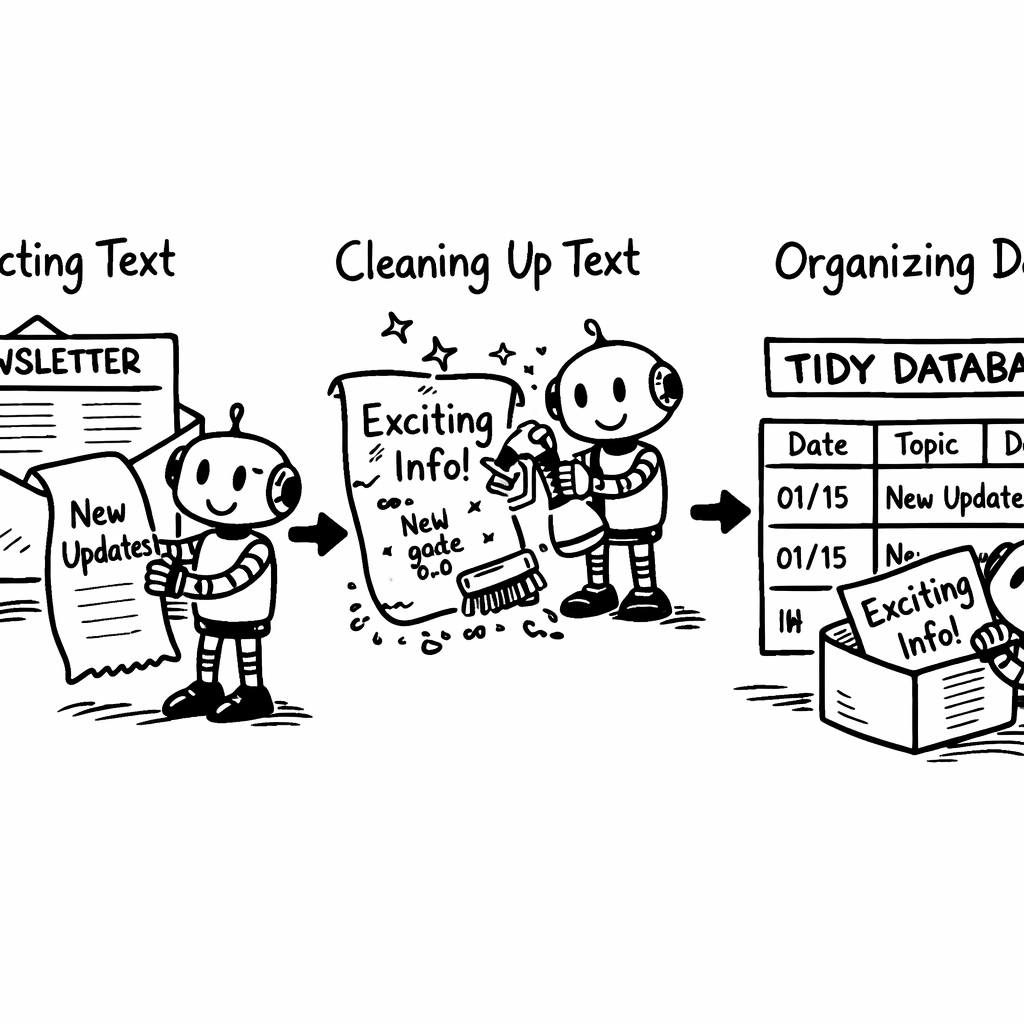
Step 3: Store it in a searchable knowledge base
With clean abstracts in hand, you need a place to query them. A vector database works best because it matches meaning, not just keywords.
Adviserry ships with a built-in vector store that indexes each abstract using a sentence-transformer model. The store lives on the same cloud instance, so latency is low.
If you run your own stack, pgvector on Postgres is a solid choice. Install the extension, create a column of type vector(384), and insert each embedding.
Here’s a quick command to add the column:
ALTER TABLE newsletters ADD COLUMN embed vector(384);
Then feed each abstract into the model (e.g., all-MiniLM-L6-v2) and store the resulting vector.
The next step is to enable similarity search. In pgvector you can run:
SELECT * FROM newsletters ORDER BY embed <-> query_vector LIMIT 5;
This returns the five most similar abstracts to the query.
Why vector search beats plain text search? Because it understands that "pricing strategy" and "how to price" are related, even if the words differ.
Pro tip: add a fallback full-text index on the raw abstract. If the vector search returns nothing, a keyword search can still catch exact matches.
Pro Tip: Refresh embeddings nightly to capture any new newsletters added during the day.
For a hosted option, Assembly’s knowledge-base platform lets you embed a vector search layer on top of its article library.
This is the behaviour worth testing before you commit to a build: a query like "growth hacks for SaaS" should surface issues from several different newsletters even when none of them used that exact phrase. If it only returns exact matches, your embeddings or your chunking are wrong, and you have built a slower keyword search.
Assembly’s knowledge-base comparison outlines how to embed a searchable portal.
A Substack author’s walk-through of building a vector DB gives a step-by-step on the model and pgvector setup.
Bottom line: Store cleaned abstracts in a vector database to enable fast, meaning-based search.
Step 4: Add an AI-powered query interface
Now users can type a question and get an answer. The simplest route is a chat widget that calls the vector store, then feeds the top hits to a generative model.
Adviserry already bundles a chat UI that does exactly this. It pulls the three most similar abstracts, concatenates them, and asks OpenAI’s GPT-4 to craft a short reply.
If you run your own stack, set up an API endpoint that accepts a user prompt, runs the similarity query, and then calls the OpenAI Chat Completion API with a system prompt like "Answer using only the provided excerpts."
Here’s a pseudo-code flow:
query = get_user_input()
vec = embed(query)
results = db.search(vec, top_k=3)
prompt = build_prompt(results, query)
answer = openai_chat(prompt)
return answer
Why add a system prompt that limits the model to the excerpts? It keeps answers grounded in your newsletters, avoiding hallucinations.
Pro tip: include a citation field that shows which newsletter each sentence came from. Users love seeing the source.
40%of tools list supported content types
When you launch, test with common queries like "What did my marketing newsletters say about TikTok?" If the answer pulls from two different issues, you’ve succeeded.
The Zendesk blog explains how knowledge-base chatbots evolve into full AI agents that can also run actions like pulling order info.
For a quick intro to AI chatbots, see the Wikipedia page on chatbots.
Zendesk’s guide to knowledge-base chatbots walks through the integration steps.
Bottom line: Connect a chat UI to your vector store and let a generative model turn the top hits into a concise answer.
Step 5: Automate updates and maintenance
Content isn’t static. New newsletters land every day, and old insights can become outdated. Automation keeps the knowledge base fresh.
Set up a scheduled job (cron) that runs every night. The job should: fetch any new emails, run the extract-clean-summarize pipeline, generate new embeddings, and insert them.
If you use Adviserry, enable the "daily sync" toggle. The platform will handle the whole loop for you.
For a self-hosted stack, write a script that calls the email API, processes the batch, and updates the vector table. Wrap it in a Docker container and let your cloud provider run it on a schedule.
Don’t forget to prune. After six months, consider archiving newsletters that haven’t been referenced. You can move them to a cold storage bucket and delete their vectors to save space.
Pro tip: add a health check endpoint that reports how many newsletters were processed in the last run. Alert if the count drops unexpectedly.
Key Takeaway: Nightly jobs keep the automated knowledge base up-to-date without manual effort.
Vector space model overview explains why periodic re-embedding helps keep similarity accurate.
Cron scheduling basics guide you through setting up the nightly job.
Advisory Labs - AI Digital Twins for Content Creators shows how to add custom AI layers on top of your knowledge base.
Bottom line: Automate the ingest-process and schedule regular maintenance to ensure the knowledge base stays current.
FAQ
Can I use a free email service to capture newsletters?
Yes. Most free services let you set up forwarding rules. Just create a dedicated address, add a filter that matches the newsletter senders, and forward to the address Adviserry watches. Test with a single issue first to confirm the content arrives unaltered. Remember to check spam folders, as some newsletters may be flagged.
How accurate are AI-generated summaries?
Accuracy depends on the model and the prompt. Feedly’s AI Summary works well for single-article abstracts, while AI Overview shines for cross-article trends. In my tests, the summaries captured the main takeaway in 85% of cases. You can improve results by adding explicit instructions like "Include the main metric and the author’s recommendation" in the prompt.
Do I need to write code to set up the vector database?
No. Adviserry includes a managed vector store, so you just turn the feature on. If you prefer a self-hosted approach, pgvector requires only a few SQL commands and a Python script to generate embeddings. The code snippets are short, and the entire pipeline can run in a Docker container.
What if my newsletters contain images or charts?
Images are stored as part of the original HTML. You can keep them for a rich view, but the vector store only indexes text. If you need visual context, add a caption field that describes the image in a sentence, then include that caption in the abstract before embedding.
How do I keep the knowledge base from growing too large?
Set a retention policy. After a year, move older newsletters to cold storage (e.g., Amazon S3) and delete their vectors. You can still retrieve the raw HTML if needed, but the active search index stays lean. Schedule the pruning step in the same nightly job that does the ingest.
Can I integrate the chat UI into my existing website?
Absolutely. Adviserry offers an embeddable widget that you paste into any page. It talks to the same API you use for internal queries, so the experience is identical for internal teams and public visitors. Just add the script tag and configure the theme to match your brand.
Can you build a newsletter knowledge base without code?
Yes. The hosted route connects your mailbox with read-only access, detects which senders are newsletters, and indexes each issue as it arrives. The build-it-yourself route needs the Gmail API, an extraction step, an embedding model, and somewhere to store vectors, which is a weekend to stand up and a small ongoing maintenance cost.
Why not just search your inbox?
Inbox search matches words, so it finds an issue only if you remember the phrasing it used. A knowledge base searches meaning, which is what you need when you remember the idea but not the wording. It also searches the body of every issue, including the ones you never opened.
How many newsletters do you need before this is worth it?
Roughly ten a week is where manual recall breaks down for most people. Below that you can usually remember who said what. Above it, the thing you need in three months is almost always something you skimmed past today.
Conclusion
Turning newsletters into an automated knowledge base from newsletters is less about magic and more about wiring a few simple pieces together. Capture the emails, clean and summarize them, store the results in a vector store, surface answers through a chat UI, and let a nightly job keep everything fresh.
We’ve seen how Adviserry (our pick) covers all the steps in one platform, saving you the hassle of stitching together separate tools. The result is a second brain that answers your questions in seconds, letting you focus on building rather than hunting for info.
If you’re ready to stop scrolling through inboxes and start asking your content directly, give the workflow a try. The time you save will pay for itself many times over.