
Best Knowledge Management System Guide 2026
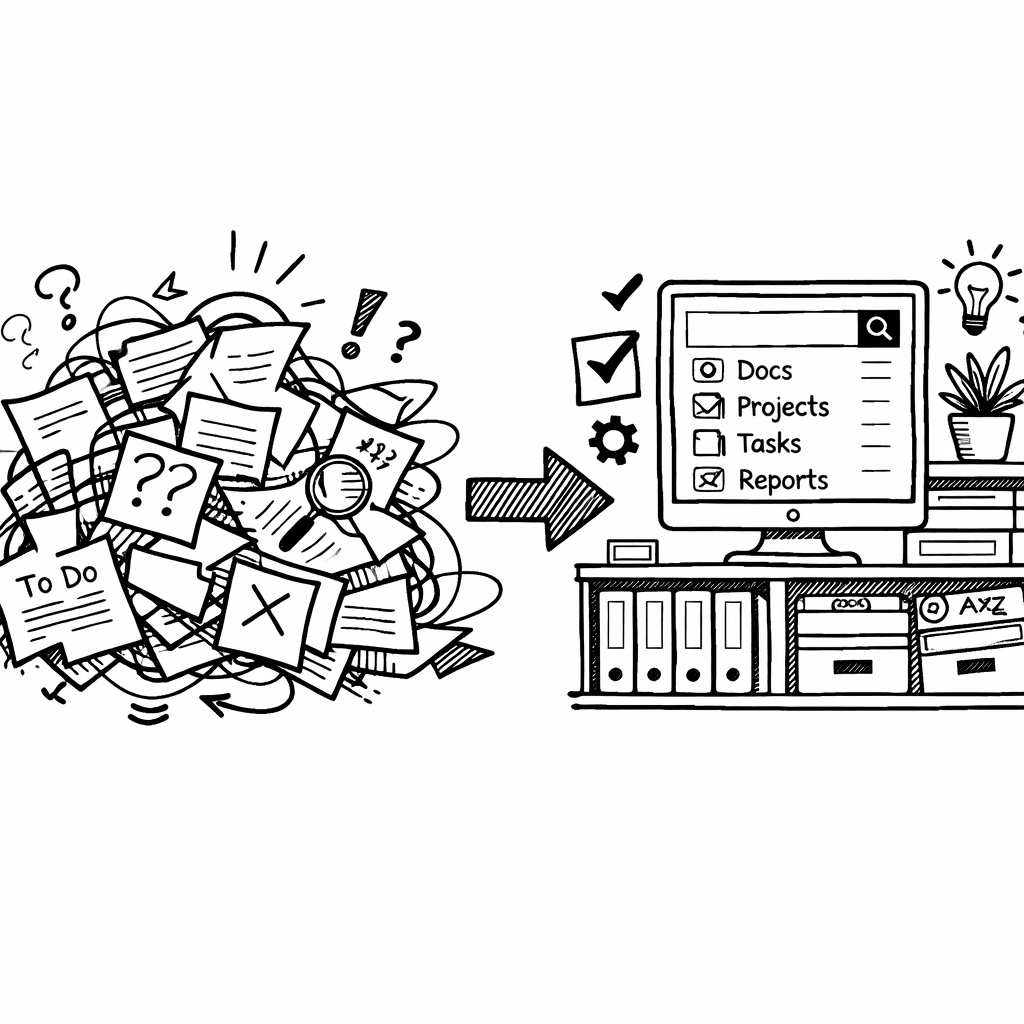
A knowledge management system is where an organization puts what it knows so someone else can find it later. The three parts that matter are capture (how content gets in), retrieval (whether search understands meaning or only matches words), and maintenance (who keeps it from rotting). Most systems fail on the third.
The tool comparison matters less than teams expect. Nearly every platform in this category now ships some form of AI search, so the differentiator is rarely the feature list. It is whether content arrives without someone volunteering to file it, and whether anyone owns pruning what is out of date.
Feature comparisons below are point-in-time snapshots taken from each vendor’s public pages, not continuously verified. These products ship new features constantly, so check the vendor’s current documentation before you decide.
Comparison of 17 Knowledge Management Systems, April 2026 | Data from 5 sourcesName| Content Ingestion| AI Summarization| Automation Workflows| Integrations| Best For| Best For Tag| Source
---|---|---|---|---|---|---|---
Adviserry (Our Pick)| Newsletters, YouTube channels| AI-powered advisory boards and contextual Q&A| Automated content ingestion and advisory board creation| Newsletters, YouTube| Entrepreneurs and lifelong learners who need AI-driven knowledge retrieval| Best for AI-driven knowledge retrieval| adviserry.com
Slite| Google Drive, Notion, other apps| AI-powered search assistant (Ask) that provides sourced answers and contextually-aware results| Timely reminders for meeting docs| Slack, Google Drive, Notion| Companies that want a focused, AI-powered knowledge base built purely for documentation and knowledge management| Best for pure documentation| slite.com
Notion| Can ingest data from private Slack channels, Calendar, Mail, and upcoming integrations like Microsoft Teams, Google Drive, Salesforce.| AI Meeting Notes can summarize transcripts and generate custom-formatted summaries; AI can pull relevant workspace context for summaries.| Custom Agents automate repetitive tasks (email triage, reporting) and can be fine-tuned; n8n integration enables running existing automations.| Trello, Figma, Google Calendar| Teams that want a single tool for knowledge, projects, and databases, and have someone willing to maintain their own structure| Best for all-round flexibility| slite.com
Confluence| true| true| true| Jira, Trello, Atlassian suite| Organizations already deep in the Atlassian ecosystem where Jira integration is operationally non-negotiable| Best for Atlassian-centric orgs| slite.com
Tettra| Google Docs, Markdown files| Q&A workflow powered by Kai, its AI assistant| knowledge gap workflow for requesting missing pages| Slack, Google Workspace, Notion| Small and medium-sized businesses with its minimalist interface and cost-effective pricing| Best for minimalist SMBs| slite.com
Guru| support tickets| AI-driven enterprise search provides answers to questions| knowledge triggers deliver context-specific information| Slack, Salesforce, Microsoft Teams| enterprise search, intranet, and wiki platform for organizations| Best for enterprise search| peoplemanagingpeople.com
Obsidian| Extract content from web pages using natural language; Browser extension to highlight and save content.| N/A| Command line interface for scripting, automation, and integration with external tools.| Obsidian Sync, Siri Shortcuts, API keys storage, browser extension, RSS feed.| Individual contributors such as researchers, writers, and engineers who want a private, offline-first, permanently structured thinking tool| Best for offline-first power users| slite.com
Document360| product documentation| "Ask Eddy" AI assistant that instantly answers complex questions| N/A| Zendesk, Freshdesk, Intercom| Organizations that prioritize customer-facing knowledge bases with strong content organization and AI-assisted search| Best for customer-facing KBs| slite.com
Bloomfire| video, audio, PDFs| N/A| approval workflows before content goes live| Slack, Salesforce, Microsoft Teams| Larger teams with diverse content formats (video, audio, PDFs) who need automated deep indexing and custom analytics| Best for multimedia teams| slite.com
Readless| newsletters, RSS feeds| Smart summaries that capture what matters| N/A| N/A| newsletter and RSS power users| Best for newsletter/RSS power users| readless.app
Knowmax| N/A| N/A| decision trees that turn complex SOPs into guided, mistake-proof workflows| Zendesk, Salesforce, Freshdesk| CX and customer support teams needing AI-driven workflows, decision trees, and multichannel content delivery| Best for CX decision-tree workflows| slite.com
Stonly| N/A| AI-powered search helps customers locate relevant content within the knowledge base| N/A| Zendesk, Freshdesk, Intercom| customer support teams that need interactive, step-by-step guides| Best for interactive support guides| peoplemanagingpeople.com
Bit.ai| N/A| AI writing assistant can summarize documents| N/A| Google Drive, Dropbox, OneDrive| businesses, educational institutions, and freelancers needing interactive documents| Best for interactive docs| peoplemanagingpeople.com
Nuclino| N/A| N/A| N/A| Slack, Google Drive, Microsoft Teams| Small to medium-sized businesses| Best for small-biz collaboration| slite.com
Slab| N/A| N/A| N/A| N/A| Small businesses looking for a simple, clean knowledge base with easy adoption and solid integrations| Best for simplicity| slite.com
Papyrs| N/A| N/A| N/A| Google Workspace, Microsoft Office 365, Slack| small to medium-sized teams needing customizable intranet pages| Best for customizable intranets| peoplemanagingpeople.com
XWiki| N/A| N/A| N/A| Google Docs, Google Spreadsheets, Office 365| open-source enterprise wikis| Best for open-source wikis| peoplemanagingpeople.com
Quick Verdict: Adviserry is the clear winner for AI-driven knowledge retrieval, especially for solo entrepreneurs. Notion is the runner-up for all-round flexibility, and Confluence is the only tool with true AI summarization but is limited to Atlassian-centric orgs. Skip Slab if you need any AI features.
Table of Contents
- What Is a Knowledge Management System?
- Core Components and Their Roles
- Common Pitfalls and How to Dodge Them
- Practical Tips for a Smooth Rollout
- Video Walkthrough: Setting Up a Simple KMS
- FAQ
- Conclusion
What Is a Knowledge Management System?
A knowledge management system is a digital hub that stores, organizes, and serves up the stuff your team already knows. It makes it easy for anyone to find the right answer at the right time.
Think about the last time you spent an hour hunting for a policy doc. A KMS would have shown you the file in seconds, with the exact paragraph you need.
According to Wikipedia, knowledge management blends people, processes, and tech to capture and reuse knowledge assets. That mix is what turns a random pile of files into a strategic engine.
Our pick, Adviserry, takes that core idea a step further. It pulls in newsletters and YouTube videos, then builds an AI-powered advisory board that can answer your questions in context. No other tool in the table does that.
And the benefit isn’t just speed. When the right insight lands in the right hands, decisions improve, customers get faster help, and employees feel less frustrated.
Pro Tip: Start by mapping the top three knowledge gaps in your business. Use those gaps as the first set of content you feed into the system.
But a KMS is more than a searchable file cabinet. It adds layers of automation, governance, and AI that keep the knowledge fresh and trustworthy.
"A solid KM program can save employees up to 3.9 hours a week," says Bloomfire’s research.
Key Takeaway: A knowledge management system turns scattered info into a single, searchable, AI-enhanced resource.
Bottom line: A KMS centralizes your know-how and makes it instantly reachable, boosting productivity and confidence.
Core Components and Their Roles
Every knowledge management system rests on six building blocks: people, governance, content, process, technology, and strategy.
People are the source of raw knowledge. They create, edit, and consume the content. Without an engaged crowd, the system stays empty.
Governance sets the rules. It decides who can edit, what gets archived, and how long records stay live. Good governance keeps the hub from turning into a mess.
Content is the meat. It includes docs, videos, emails, and anything you can tag. Proper taxonomy and metadata make it searchable.
Process ties everything together. Capture, review, publish, and retire steps ensure knowledge moves smoothly from creation to reuse.
Technology is the engine. It provides the database, the search index, the AI summarizer, and the integration points.
Strategy gives direction. It aligns the KM effort with business goals, so you’re not just storing data for its own sake.
| Component | Key Role | Why It Matters |
|---|---|---|
| People | Generate and use knowledge | Creates the content pipeline |
| Governance | Define policies and ownership | Prevents outdated or insecure info |
| Content | Store documents, videos, etc. | Provides the searchable assets |
| Process | Standardize capture and review | Ensures consistency and quality |
| Technology | Power search, AI, integrations | Delivers fast, relevant answers |
| Strategy | Align with business goals | Turns KM into a competitive edge |
And when those pieces fit, you get a system that scales with your company.
For a deeper dive into how each piece works, see Best AI Knowledge Management Tool Guide 2026. It walks through real-world examples of each component in action.
6%of tools have true AI summarization
Key Takeaway: Successful KM needs people, policies, well-tagged content, smooth processes, solid tech, and a clear strategy.
Bottom line: Nail all six components and your knowledge base will actually work, not just sit there.
Common Pitfalls and How to Dodge Them
Even with a perfect stack, teams trip over the same traps. The first one? Low adoption.
Employees often ignore new tools because they feel it adds work. In fact, change-failure rates sit near 65% in many firms.
To beat that, show quick wins. Pick a high-visibility problem, like “find the latest pricing guide”, and solve it with the KMS. When folks see instant value, they start using it.
Second pitfall: information silos. When each department hoards its own docs, the system ends up fragmented.
Break silos by enforcing a single source of truth. Use a taxonomy that spans the whole org, not just one team.
Third, bad AI output. If the AI pulls stale or contradictory info, users lose trust fast.
Before you flip the switch on AI summarization, clean up the underlying content. Run a content audit, retire duplicates, and tag everything clearly.
And don’t forget security. A lax permission model can expose sensitive data. Set up role-based access from day one.
Pro Tip: Run a pilot with a small, motivated team. Capture their feedback, fix the issues, then roll out company-wide.
But the biggest hidden cost is maintenance. Knowledge decays; without a plan to review and update, the system becomes a junk drawer.
Schedule quarterly audits. Assign a knowledge champion, someone who owns the health of the hub.
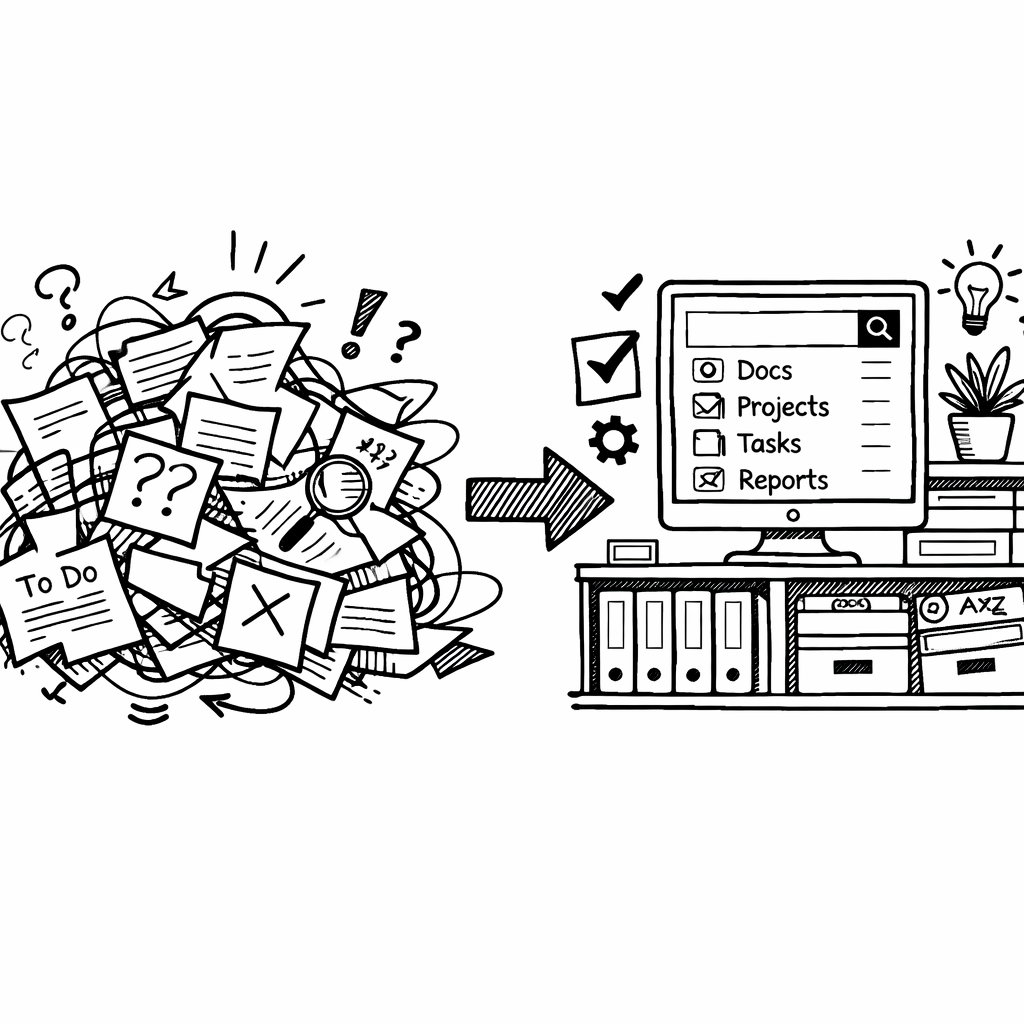
Key Takeaway: Avoid low adoption, silos, bad AI, and neglect by planning governance, pilots, and regular clean-ups.
Bottom line: Spot the common traps early, and you’ll keep your KM system from turning into a digital graveyard.
Practical Tips for a Smooth Rollout
Getting a KMS live is a project, not a one-off install. Here’s a step-by-step playbook you can follow.
1. Define clear goals. Do you want faster onboarding, better support, or smarter product decisions? Write them down.
2. Do a knowledge audit. List where critical info lives today, Google Drive, Slack, email threads. Mark what’s missing.
3. Choose the right platform. For solo founders who need AI-driven answers, Adviserry tops the list.
4. Build a simple taxonomy. Start with broad categories like "Product", "Marketing", "Support" and keep depth under three levels.
5. Migrate content in batches. Tag each piece as you go. Don’t try to move everything at once.
6. Run a pilot. Pick a team that’s eager to experiment, maybe the sales squad.
7. Train users. Create short videos, cheat sheets, and live Q&A sessions.
8. Measure usage. Track searches, contributions, and time saved. Adjust based on data.
And remember to celebrate wins. Share a screenshot of a query that saved hours. That builds momentum.
Pro Tip: Embed the KMS search bar into the tools your team already uses, like Slack or the internal portal, so they never have to leave their workflow.
For founders who love YouTube, check out Best AI knowledge management platform for YouTube (2026). It shows how video content can become searchable knowledge without a single line of code.
Key Takeaway: A phased rollout, clear taxonomy, and visible wins keep adoption high.
Bottom line: Follow a structured rollout plan, involve champions, and iterate fast for a thriving knowledge hub.
Video Walkthrough: Setting Up a Simple KMS
Now let’s watch a quick demo of a basic knowledge base built from scratch. The video walks through creating a taxonomy, importing a few docs, and testing the search.
After the video, here’s how you can replicate the steps in your own environment.
Step 1: Draft a one-page taxonomy. List the top-level buckets and a few sub-categories.
Step 2: Export your existing docs as PDFs or markdown files. Keep filenames clear.
Step 3: In Adviserry, use the “Import” button to pull in the files. The AI will auto-tag based on content.
Step 4: Test the search. Try a question like “What’s our pricing model for enterprise?” The AI should pull the exact paragraph from the uploaded doc.
Step 5: Invite a handful of teammates. Ask them to ask three questions each and note the response time.
Step 6: Capture feedback in a simple spreadsheet. Mark what worked and what needs tweaking.
Pro Tip: Record the feedback session and add the video to your knowledge base as a “how-to” guide.
When you’re ready to scale, read Best Automated Knowledge Base from YouTube Guide 2026 for tips on bulk-ingest and AI fine-tuning.
Key Takeaway: A hands-on video walk-through plus a simple 6-step plan gets you up and running fast.
Bottom line: Watch, follow the steps, and you’ll have a functional KMS in a single afternoon.
FAQ
What exactly does a knowledge management system store?
A KMS can hold any digital asset, docs, PDFs, videos, slide decks, and even chat transcripts. The key is that each piece is tagged and indexed so the system can retrieve it based on content, not just file name. By capturing a wide range of formats, you make sure no useful insight stays hidden.
How does AI improve a knowledge management system?
AI adds two big powers: smart search and auto-summarization. Instead of typing exact keywords, you can ask natural-language questions and get concise answers. AI also flags duplicate or outdated content, keeping the hub fresh.
Is a knowledge management system only for big enterprises?
No. Solo founders, small teams, and freelancers benefit just as much. The right tool, like Adviserry, lets you ingest newsletters and YouTube videos, turning personal learning streams into a searchable resource without a massive IT budget.
How long does it take to see ROI from a KMS?
Most companies notice time savings within the first month. Bloomfire’s research shows a typical team saves about 3.9 hours per week, which adds up to a noticeable productivity boost and cost reduction in just 90 days.
What are the biggest security concerns?
Unauthorized access and data leakage are top risks. Use role-based permissions, encrypt data at rest, and run regular audits. A well-governed KMS protects sensitive IP while still being easy to use.
Can a KMS integrate with existing tools?
Yes. Most platforms offer APIs or native connectors for Slack, Google Drive, Microsoft Teams, and CRMs. Integration lets you search knowledge without leaving the app you’re already using, boosting adoption.
How do I keep the knowledge base up to date?
Set a cadence, quarterly or bi-annual, where a knowledge champion reviews content, retires stale items, and adds new insights. Automation can flag items that haven’t been accessed in months, nudging owners to update or delete them.
Do I need a dedicated team to run a KMS?
You need at least one champion who owns the governance process. In small teams, that can be a product manager or a senior engineer. The champion ensures policies are followed, content stays fresh, and users get help when needed.
What is a knowledge management system?
A system for capturing what a team knows and making it findable later. That covers documented processes, past decisions and why they were made, customer context, and technical reference. The distinction from a shared drive is retrieval: a drive stores files, a knowledge management system is judged on whether someone who was not there can find the answer.
What is the difference between a knowledge base and a knowledge management system?
A knowledge base is usually the artifact, a searchable collection of articles, often customer-facing. A knowledge management system is the whole practice around it: how content gets captured, who reviews it, how it is retired. In casual use the terms are interchangeable, and most vendors market a knowledge base as a knowledge management system.
Why do knowledge management systems fail?
Almost always maintenance, not tooling. Content goes in during the enthusiastic first month, nobody owns pruning it, and within a year search returns three contradictory answers with no way to tell which is current. A wrong answer that looks authoritative is worse than no answer, because people act on it. Assign an owner per section and a review cadence before you pick a platform.
Do you need AI in a knowledge management system?
AI search helps most when the archive is large and people do not know the vocabulary the author used. It helps least when the underlying content is stale or contradictory, because it will confidently surface the wrong thing faster. Fix content quality first; AI retrieval amplifies whatever is already there.
Conclusion
Building a knowledge management system isn’t about buying the flashiest UI. It’s about turning the messy swirl of documents, videos, and emails into a single, searchable brain that your whole team can tap into. We’ve walked through what a KMS does, the six core components that make it work, the pitfalls that sink most projects, and a practical rollout plan you can start today.
If you’re an early-stage founder or solo entrepreneur, Adviserry gives you AI-driven retrieval right out of the box, no custom development required. For larger teams that need flexibility, Notion or Confluence can fill the gaps, but they lack the built-in AI that makes Adviserry stand out.
Take the first step: audit your top knowledge gaps, pick a pilot team, and try the simple six-step setup we outlined. In a few weeks you’ll see the difference between hunting for answers and having them handed to you on demand.
Ready to stop the endless search cycle? Dive into Adviserry’s free trial and see how AI can make your knowledge work for you.