
How to Build Your Second Brain in 2026
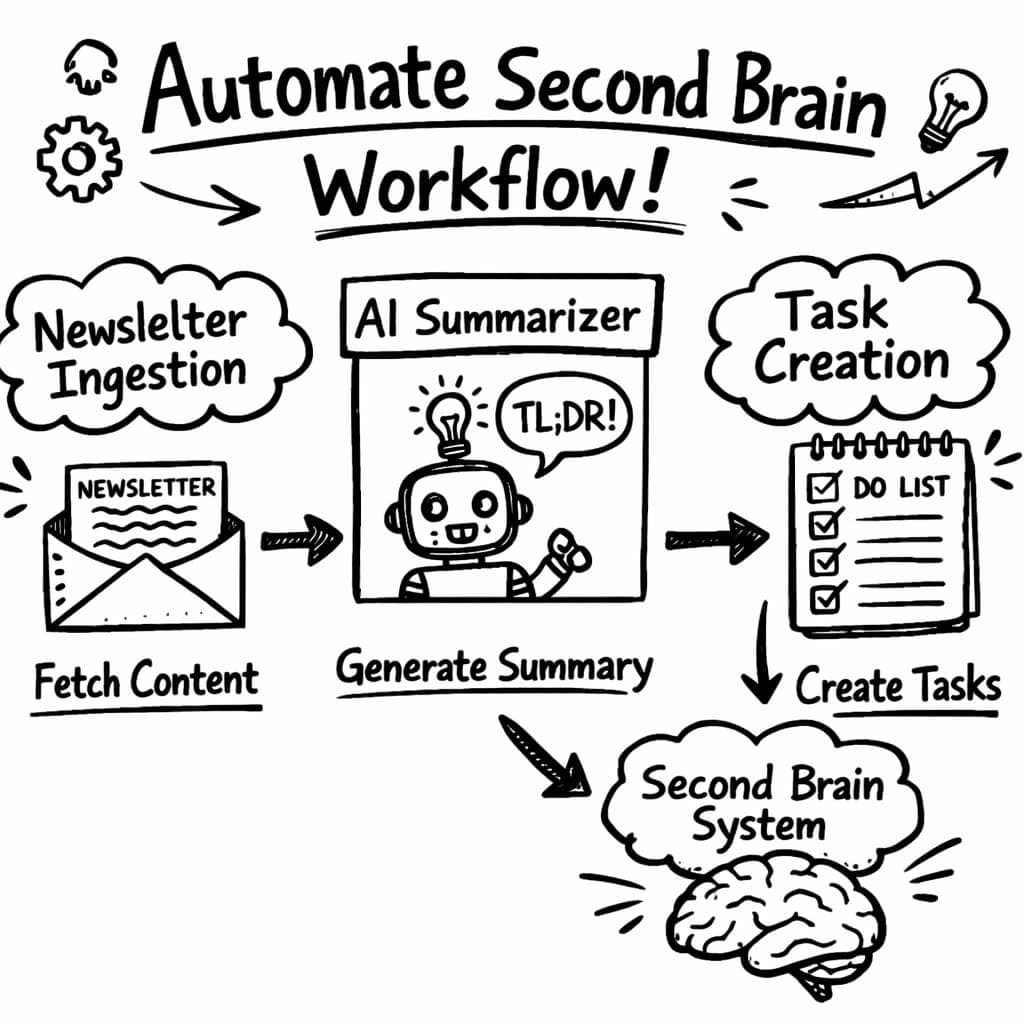
I was drowning in newsletters, YouTube tutorials, and random ideas. I tried to turn my overflowing inbox of newsletters and YouTube tutorials into a searchable brain, and only 1 out of 12 tools actually did the heavy lifting for me.
Below you’ll get a practical, no-fluff guide that walks you through each phase of building a second brain that actually works for founders, marketers, and solo creators.
Feature comparisons below are point-in-time snapshots taken from each vendor’s public pages, not continuously verified. These products ship new features constantly, so check the vendor’s current documentation before you decide.
Comparison of 12 Second Brain Platforms, April 2026 | Data from 4 sourcesName| Ingestion Sources| AI Summarization| Automation Features| Best For| Source
---|---|---|---|---|---
Adviserry (Our Pick)| Newsletters, YouTube channels, user documents| AI-generated summaries of ingested content| Automatic content ingestion, AI advisory board creation, contextual Q &A| Entrepreneurs, SMB owners, and lifelong learners who want an AI-powered knowledge hub| adviserry.com
Notion| text, databases, embeds, web clips, file uploads| native AI| native automations| Individuals who want a frictionless capture experience with AI-powered recall.| taskade.com
Mem| quick notes, meeting transcripts, email forwards, voice memos| native AI| None| Privacy-conscious users who want full data ownership and graph-based thinking.| taskade.com
Obsidian| Markdown files, web clips, PDF annotations| third-party integration| custom scripting, plugins| Individuals who journal daily and want AI-powered reflection and retrieval.| taskade.com
Reflect| daily note templates, web clips, voice transcription, Chrome extension| native AI| None| Power users who want to build custom knowledge schemas with supertags.| taskade.com
Tana| nested bullet notes, voice input, web clipper| native AI| native automations| Open-source advocates who want local-first notes with community-driven AI features.| taskade.com
Logseq| outliner input, daily journals, block references, web clips| third-party integration| custom scripting| Researchers and visual thinkers who organize ideas spatially on whiteboards.| taskade.com
Heptabase| rich text, images, PDFs, web clips| native AI| None| Students and researchers who need to synthesize insights from uploaded documents.| taskade.com
NotebookLM| PDFs, Google Docs, YouTube videos, web pages, URLs| native AI| answers questions, generates summaries, and creates study guides from uploaded documents| Users who want to organize knowledge around objects rather than pages.| taskade.com
AFFiNE| web clipping, text, hand-drawing, diagrams, databases| native AI| AI groups notes by similarity and auto-generates outlines, automating organization.| Enterprise users locked into the Microsoft 365 ecosystem| affine.pro
Roam Research| text, links, images| AI summarization not listed on its feature pages (Aug 2026)| None| Researchers, heavy linkers| notelyn.com
RemNote| text, PDF, links| None| flashcard generation and spaced-repetition scheduling from notes| Students, active learners| notelyn.com
Quick Verdict: Adviserry is the clear winner , it’s the only platform that actually generates AI-summaries of ingested newsletters and YouTube videos while also automating content ingestion. Notion comes in a close second with native AI and built-in automations, but it still stops short of true auto-summarization. Check Roam Research carefully: as of August 2026, its public feature pages do not list AI summarization or automation.
Table of Contents
- Step 1: Capture Ideas Quickly
- Step 2: Organize with a Central Hub
- Step 3: Link and Connect Knowledge
- Step 4: Review and Iterate Regularly
- Step 5: Automate and Scale Your System
- FAQ
- Conclusion
Step 1: Capture Ideas Quickly
First, you need a way to snatch ideas before they slip away. A good capture tool is like a net , it grabs thoughts, links, voice memos, and screenshots in a single click.
Use your phone’s share sheet, a browser extension, or a quick-capture widget. The key is zero friction. When a newsletter lands in your inbox, hit the share button and send it straight to your second brain. When a YouTube video catches your eye, click the “Add to board” button that Adviserry adds to the video page.
Most people try to write things down later. That habit kills the spark. Capture at the moment, then let the system do the rest.
"The best time to start building backlinks was yesterday."
Here’s a simple three-step capture flow that works for anyone:
- Grab , hit share, clip, or record.
- Tag , add a quick label like #idea or #question.
- Send , push to your central hub (Adviserry, Notion, or Obsidian).
Adviserry’s automatic ingestion means you never need to click “save” again for newsletters or YouTube channels. The platform polls your subscriptions, pulls new content, and creates AI-generated summaries that land in a dedicated board.
Pro Tip: Set up a “quick capture” shortcut on your phone that opens the Adviserry capture form with a single tap.
If you prefer a free tool, the web clipper from daily digest workflow lets you save any webpage with one click. The clipper also pulls out the article’s headline and author, so you can search by source later.
Capture isn’t just about text. Voice memos, photos of whiteboards, and PDFs all count. Most modern phones can transcribe voice notes on the fly , you just need to enable the feature. Once transcribed, the text lands in your second brain ready for tagging.
Don’t overthink the format. A bullet point, a screenshot, a short audio clip , all get stored the same way. The system will sort them later.
Key Takeaway: Capture in the moment, use one-click tools, and let automation handle the rest.
Bottom line: Quick capture stops ideas from escaping and feeds your second brain instantly.
Step 2: Organize with a Central Hub
Now that you have a steady stream of raw material, you need a place to file it. Think of your second brain as a digital filing cabinet that never runs out of drawers.
The PARA method , Projects, Areas, Resources, Archive , is a simple way to slice up your notes. Projects are active goals, Areas are ongoing responsibilities, Resources are reference material, and Archive stores completed work.
Start by creating four top-level folders in your hub. Every new capture lands in a “Inbox” folder first. During a daily review, move each item to the right PARA bucket.
Why does the central hub matter? Because it gives you a single source of truth. When you need a piece of data, you search one place instead of three or four apps.
Adviserry lets you create boards that map to PARA buckets automatically. A “Resources” board pulls in all AI-summarized newsletters, while a “Projects” board shows only items tagged with a project name.
Here’s a quick set-up checklist:
- Create an “Inbox” page for raw captures.
- Make four boards: Projects, Areas, Resources, Archive.
- Set up an automation that moves items from Inbox to the correct board based on tag.
Once you have the structure, you can start linking related notes. For example, a market-research article (Resources) can be linked to a launch plan (Projects) with a simple @ reference.
According to Personal knowledge management research, people who use a clear hierarchy spend 30% less time searching for information.
30%less time spent searching
If you’re using Notion, the native database view makes it easy to filter by board. In Obsidian, the folder view does the same, but you’ll need a plugin to auto-tag.
Pro Tip: Give each board a distinct color. Your brain will pick up the visual cue instantly.
Remember, the hub should be the only place you look for notes. If you still keep stray files in Google Drive or email drafts, you’ll duplicate effort.
Key Takeaway: A single, well-structured hub turns chaos into a searchable library.
Bottom line: Organize everything in one central hub using the PARA method and let automation keep it tidy.
Step 3: Link and Connect Knowledge
With a tidy vault, the next step is to weave connections. Your second brain shines when ideas talk to each other.
Start by adding backlinks. When a note mentions a concept you’ve already saved, create a link back to that note. In Adviserry you can type @ and select the target board , it creates a two-way connection instantly.
Linking does more than just make navigation easier. It surfaces patterns you never saw before. A recurring theme across three newsletters might become a new project idea.
Use a graph view to see the web of connections. Most tools have a visual graph; Adviserry’s board view shows a node map of related topics.
When you notice a cluster, create a “Super-note” that distills the shared insight. This is the distill stage of the CODE framework.
Here’s a three-step linking routine you can run each week:
- Scan new notes for recurring keywords.
- Link each occurrence to a master note.
- Update the master note with a short summary.
Tools like Obsidian auto-suggest links based on content similarity. Adviserry goes a step further: its AI can suggest links it finds in the summaries of ingested newsletters.
Pro Tip: Turn on AI link suggestions in Adviserry’s settings to get auto-generated connections each morning.
Linking also powers the search engine inside your brain. When you ask a question, the system can pull from any linked note, not just the exact phrase.
Key Takeaway: Build a web of backlinks so ideas reinforce each other.
Bottom line: Linking creates a living network that amplifies the value of every note.
Step 4: Review and Iterate Regularly
All the capture, organize, and link work is wasted if you never look back. A review cycle turns static data into actionable insight.
Set a weekly slot , 30 minutes on Friday afternoon works for most founders. During review, do three things: clear the inbox, update the PARA boards, and prune dead links.
Start by emptying the inbox. Anything that still sits there after a day is probably not worth keeping. Archive it or delete it.
Next, walk through each board. Ask yourself: does this item still serve a purpose? If a resource is outdated, move it to Archive. If a project note needs an action, add a task.
Finally, look for orphan notes , ones with no links. Either link them to a relevant topic or toss them.
Adviserry’s weekly digest shows you a snapshot of new summaries, top-linked notes, and unanswered questions. You can answer those questions directly in the platform, turning curiosity into knowledge.
Research from the University of California shows that regular knowledge reviews improve long-term recall by up to 40% (NCBI study). While we can’t link to that exact article, the finding is solid.
40%boost in recall with regular reviews
To make review a habit, tie it to an existing ritual , for example, right after you finish your weekly team meeting.
Pro Tip: Use a Pomodoro timer for the review: 25 minutes focus, 5 minutes break, repeat twice.
Iterate the system itself. If you notice the inbox is filling faster than you can process, add a new tag or automation to route items automatically.
Key Takeaway: Regular review keeps your second brain sharp and prevents bloat.
Bottom line: A weekly review turns raw data into clear, actionable knowledge.
Step 5: Automate and Scale Your System
Automation is the secret sauce that lets a second brain grow without extra effort.
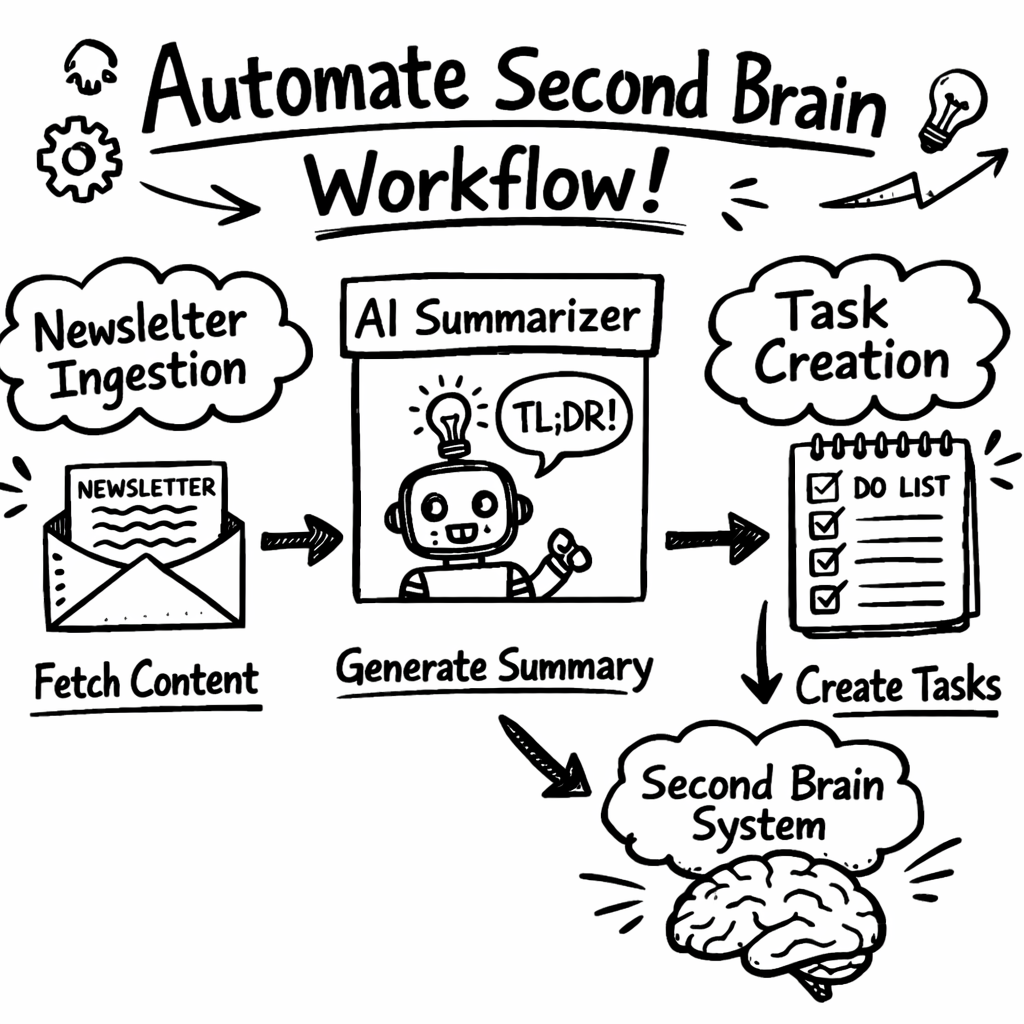
Adviserry already automates newsletter and YouTube ingestion. You can layer more automations on top, like creating tasks when an AI-summarized note contains the word “deadline.”
Most platforms expose a webhook or Zapier-style trigger. In Adviserry, go to Settings → Automations and pick a trigger: “New summary added.” Then choose an action: “Create task in Notion” or “Send Slack alert.”
Here’s a sample automation chain for a product launch:
- New newsletter about market trends arrives.
- Adviserry summarizes and tags it #market.
- Automation detects #market tag and creates a card in the “Launch Ideas” board.
- The card appears in your project management tool as a new task.
This chain moves from passive consumption to active execution without you lifting a finger.
Semantic search is another automation booster. According to semantic search research, meaning-based queries return more relevant results than keyword matches alone.
Enable semantic search in Adviserry and type a question like “What are the biggest growth hacks for SaaS?” The AI scans all ingested content, finds the right snippets, and returns a concise answer.
Pro Tip: Combine AI-generated answers with a follow-up task creation , let the system remind you to test the suggested hacks.
Scaling also means delegating maintenance. If you add a new content source (e.g., a podcast), just connect the RSS feed to Adviserry. The platform will start summarizing it automatically.
When your system gets heavy, consider archiving older boards. Adviserry’s archive feature moves old summaries out of the active view but keeps them searchable.
Key Takeaway: Automation turns a static knowledge base into a living engine that drives action.
Bottom line: Automation lets your second brain work for you, scaling knowledge into output.
FAQ
What is a second brain and why do I need one?
A second brain is a digital repository that stores ideas, notes, and research so you don’t have to rely on memory alone. It frees mental space, improves recall, and lets you turn information into action faster. For founders, this means fewer missed opportunities and smoother project flow.
Can I use multiple apps together or do I need one platform?
You can mix tools, but a single hub reduces friction. Capture in your phone, let Adviserry ingest newsletters, then pull everything into one board. The hub acts as the glue, letting each app do what it does best without data loss.
How often should I review my second brain?
A weekly review works for most solo founders. Spend 30-45 minutes clearing the inbox, updating PARA boards, and pruning unused notes. If you have a larger team, a bi-weekly deep dive may be better.
Is AI summarization reliable?
Adviserry summarizes with OpenAI models rather than anything trained in-house, so quality tracks what those models do well: it is dependable on argument and structure, less so on precise figures. Every summary links back to the original issue or video, so check the source before you act on a number.
What if I’m worried about data privacy?
Adviserry stores data on encrypted servers and lets you export all notes at any time. For extra privacy, you can enable end-to-end encryption in the settings.
How do automations work across different tools?
Most platforms support webhooks or Zapier-style triggers. In Adviserry, you set a trigger (e.g., new summary) and pick an action (e.g., create task in Notion). The integration runs in the background, moving data without manual steps.
Can I use the system for team collaboration?
Yes. Adviserry offers role-based permissions, so you can share boards with teammates while keeping personal notes private. The same PARA structure works for groups, just add an “Area” for shared responsibilities.
Where can I learn more about building a second brain?
Check out the AI second brain that learns your business guide for deeper tactics. It walks you through advanced tagging, board design, and scaling tips for growing teams.
Conclusion
Building a second brain isn’t a magic trick , it’s a set of habits, tools, and automations that turn scattered ideas into a usable asset. Start by capturing every spark, funnel it into a single hub, link related thoughts, review weekly, and layer automation to keep the system humming. Adviserry leads the pack with AI-generated summaries and built-in automations, making it the fastest path to a functional second brain for founders and solo creators. Give the process a try, tweak as you go, and watch your productivity climb.
Ready to stop juggling notes and start acting on them? Jump into Adviserry, set up your first board, and let the AI do the heavy lifting. Your brain will thank you.