Why MCP Integration Means Your AI Advisor Lives Inside Claude and ChatGPT
Why MCP Integration Means Your AI Advisor Lives Inside Claude and ChatGPT
This one is for the technical folks, or at least the curious ones. Stick with me for a second.
There's a new standard in the AI world called MCP: Model Context Protocol. It sounds like something a developer invented to explain to other developers why their thing is better. And in some ways it is. But the practical implication is actually pretty interesting for how you use your advisory board day-to-day.
The "separate tab" problem.
Every new AI tool has the same adoption challenge: you have to remember to use it. It's a separate browser tab. A separate app. A separate login. A separate workflow. And no matter how useful the tool is, there's a real adoption tax associated with any context switch.
The founders who get the most value from AI tools are the ones who integrate them into existing workflows rather than building new ones. The ones who try to use a tool that requires a fresh mental model every time they open it tend to fall off quickly, no matter how good the tool is.
What MCP actually does.
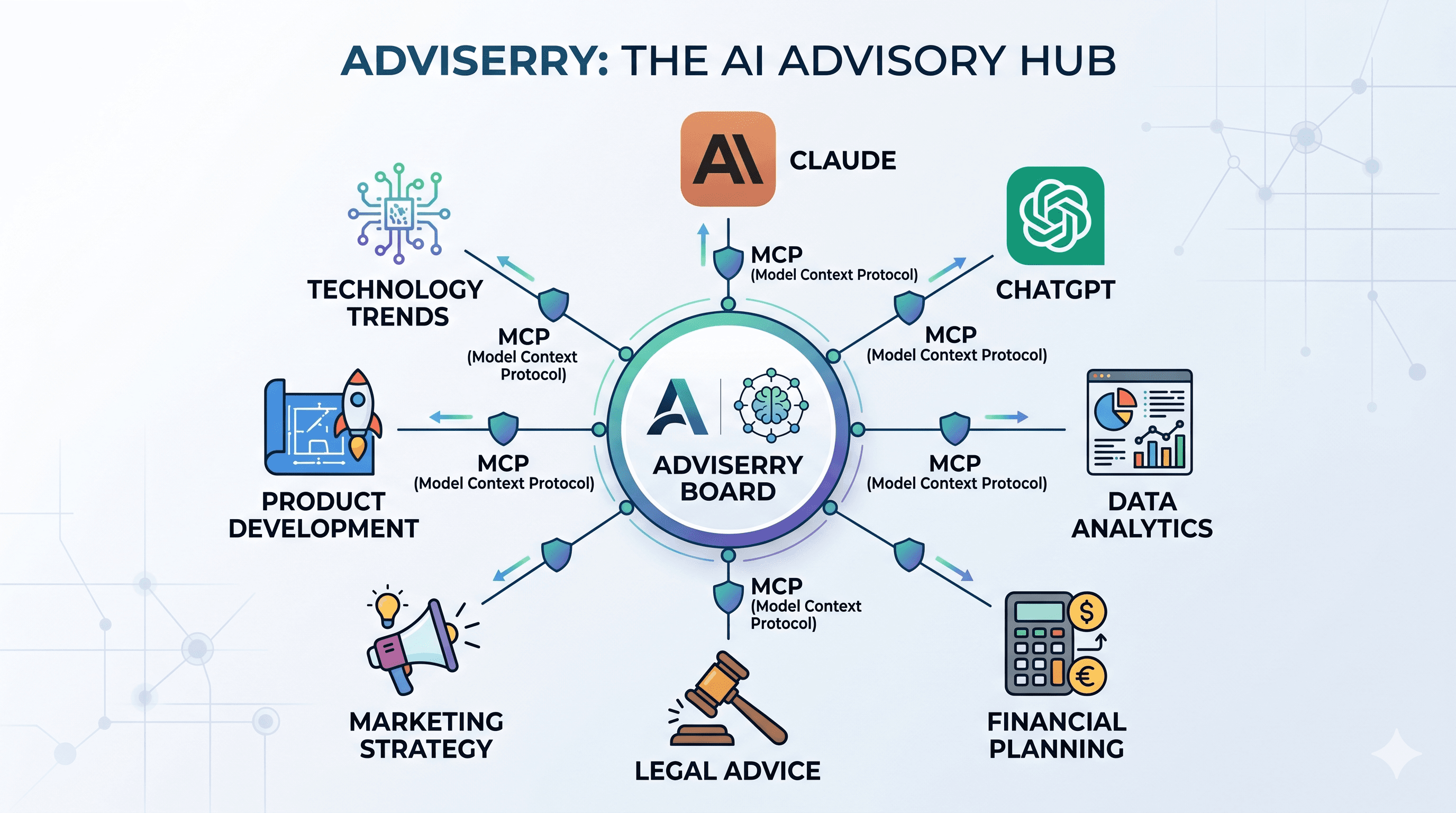
MCP is a protocol that lets AI tools talk to each other. In practical terms, it means that your Adviserry advisory board can be accessible from inside Claude, inside other AI tools, inside your IDE if you're a developer. You're not going to a separate tab. You're querying your board from wherever you already are.
If you're already using Claude for writing, research, or analysis (and a lot of founders are), MCP means your advisory board is available inside that same interface. You can be drafting a proposal, have a question about your pricing strategy, and ask your board without leaving the document.
That's not a small thing. Context switching is cognitively expensive. Removing it makes the tool dramatically more likely to be used.
The workflow implication.
The best AI advisory board is the one you actually query when you have a question. Not the one you query when you remember to open the app. MCP integration shifts the board from "tool I have to go to" to "capability that's always there."
For most founders, that's the difference between an occasionally useful product and a daily habit. And daily habits, compounding over time, are what actually change how you operate.
The board doesn't help you if you forget it exists. MCP is how you make sure you don't.
Keep Reading:
- What Is an MCP Server? Why It Matters for Your AI Workflow: understand MCP in depth
- How to Use Adviserry With Claude Desktop via MCP: step-by-step MCP setup guide
- 5 Best MCP Servers for Claude Desktop in 2026: other MCP servers worth setting up